IRS CP2000 Notice: Records to Gather Before Your Tax Professional Responds
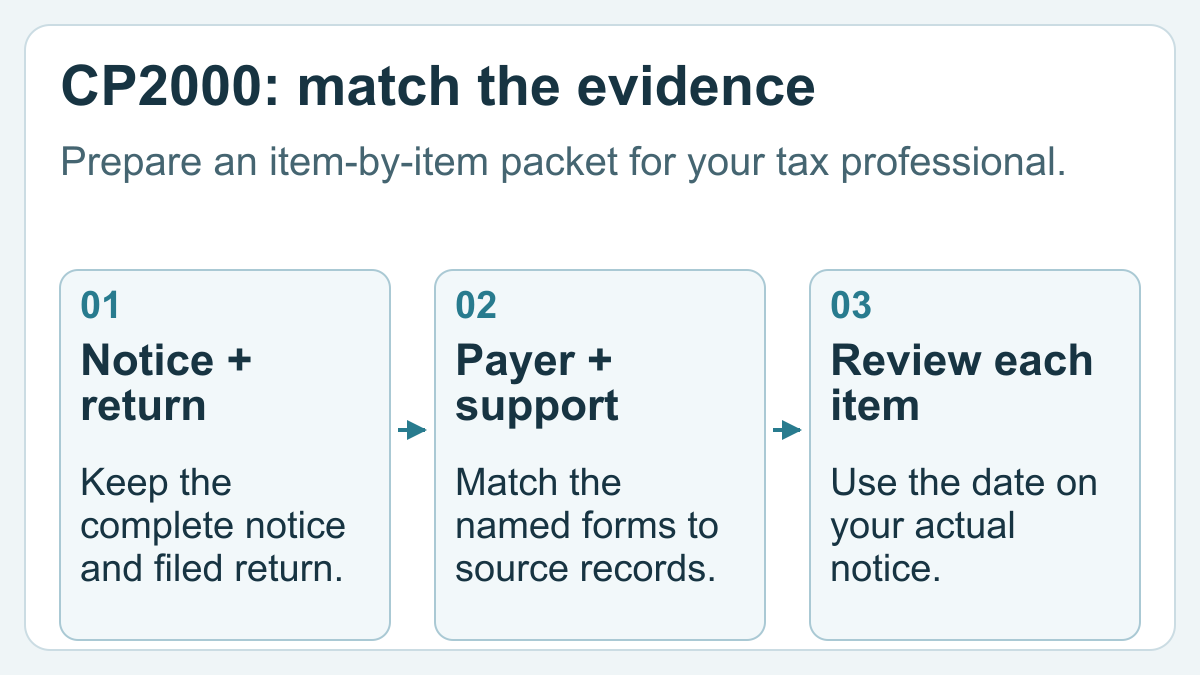
For an IRS CP2000 notice, gather the complete notice, the filed return for the stated tax year, the third-party forms named in the notice, and records explaining each difference. Build an item-by-item comparison for your tax professional, and use the response date and instructions on your own notice rather than a generic online deadline.
A bank reports an amount that does not seem to match your return. The wrong move is to send a pile of unrelated statements and hope the connection is obvious. The useful deliverable is a short map: what the notice says, where the item appears in your return, and which document explains any remaining difference.
The IRS describes the CP2000 series as proposed changes arising from a mismatch between third-party income or payment information and your return. It is not itself a bill; the difference may increase, decrease or leave tax unchanged. Your packet supports review of those proposed changes without assuming the IRS or your return is automatically correct.
Capture the notice before you start explaining it
Save every page, including the response form and instructions. Record the notice number, tax year, issue date, response date and requested action on your cover sheet. Keep those details beside the documents, not only in an email subject line.
The IRS's general notice guidance says to review notices carefully, retain them, and respond by the stated due date when a response is requested. If a document looks suspicious, use the IRS's official notice search and contact guidance before sending financial records through an unverified channel.
Tell the professional about the deadline when arranging the review. Do not assume that a booked appointment extends it. If necessary, ask the professional how to address a request for additional response time.
Retrieve the return that was actually filed
Find the filed copy with its relevant schedules and attachments. A draft from the preparer's portal or an unfinished software file can contain different numbers. Label a document “filed copy” only when you know it is the filed version; otherwise flag that uncertainty.
If the copy is missing, ask the preparer how to obtain the appropriate IRS record. A tax return transcript shows most items from the original return as filed, while a tax account transcript also reflects later account changes. Neither is simply a photocopy of your complete return.
Keep later amendments and notices separate from the original filing. Your reviewer needs to know which version each amount belongs to, especially if another correction has already been considered.
Give each notice item its own evidence row
Use a worksheet like this. Its labels are for organizing your response work; they are not IRS determinations.
| Notice item | Source document | Location in filed return | Explanation or open question | Evidence file |
|---|---|---|---|---|
| Interest from Bank A | Bank A's tax-year form | Identified return line or schedule | Amount located; reviewer to confirm match | Bank-A-form.pdf |
| Contractor income from Client B | Original and corrected payer forms, if any | Identified schedule or unresolved | Which version did the issuer report? | Client-B-forms.pdf |
| Processor-reported amount | Annual form and detailed activity report | Business records linked to return | Explain gross activity, refunds and payouts separately | Processor-detail.pdf |
For a hypothetical example, Jordan finds a payer amount in a business-income total rather than as a separately labeled entry. Jordan attaches the source form and the worksheet used to assemble that total, identifies the relevant return location, and asks the reviewer to confirm the explanation. Jordan does not record the item as “resolved” merely because a similar amount appears somewhere.
Match source records without counting the same activity twice
Retrieve the document issued by the specific payer or institution named in the notice. Include any corrected version and the correspondence explaining it. Your existing 1099 document checklist can help locate missing income forms, but the response packet should focus on the items actually at issue.
Where payment processors are involved, keep an annual information form, transaction report, refund record and bank payout evidence distinct. Our processor-to-bank reconciliation guide addresses those links. A payout arriving in a bank account and the transactions funding it are different records; the professional needs the connection rather than an unexplained combined total.
Write a brief explanation beside each relevant attachment. If an amount cannot be matched, say what remains unknown and who has been asked for clarification. Avoid changing labels or inventing an expense solely to make a worksheet balance.
Review the proposed response before it is sent
Ask the professional to distinguish agreement, disagreement and unresolved items, and confirm the response channel shown in the notice. The IRS requests supporting documentation with a disagreement and directs taxpayers to the notice's instructions. Keep your originals and send the appropriate copies.
Retain the reviewed response, attachment index, submitted files and available submission acknowledgment. That creates a usable record if further correspondence arrives; it is not a guarantee that the response has been accepted.
Confirm who will communicate with the IRS and what authorization is needed. Form 2848 authorizes an eligible individual to represent you before the IRS; hiring someone to prepare a return does not, by itself, settle the representation arrangement. Use our preparer hiring questions to discuss that scope.
FAQ
Does receiving CP2000 mean I already owe the proposed amount?
The notice describes proposed changes, not an automatic final bill. Review its explanation and requested action with your tax professional. Keep the complete notice available when comparing the proposed amount with your records.
How long do I have to respond?
Use the response date on your actual notice. Make that date visible in your packet and tell the professional handling it. Do not substitute a standard number of days from another person's notice or an online example.
Should I automatically file an amended return?
No. The IRS says an amendment is unnecessary when you agree with the notice and have no other income, credits or expenses to report. Other circumstances can require different action. Have your professional review the notice and any additional changes together.
Can bank deposits alone explain the discrepancy?
They may help connect the records, but an unexplained deposit list is a weak response packet. Include the named issuer's form and the supporting activity or reconciliation that shows what each relevant amount represents.
What should I keep after responding?
Keep the original notice, the reviewed response, the exact attachments sent, submission evidence and later correspondence together. Continue to label unresolved items clearly until you have a substantive response or a professional explanation of the outcome.