Organizing Payment Processor Refunds Before Sending Records to a Tax Preparer
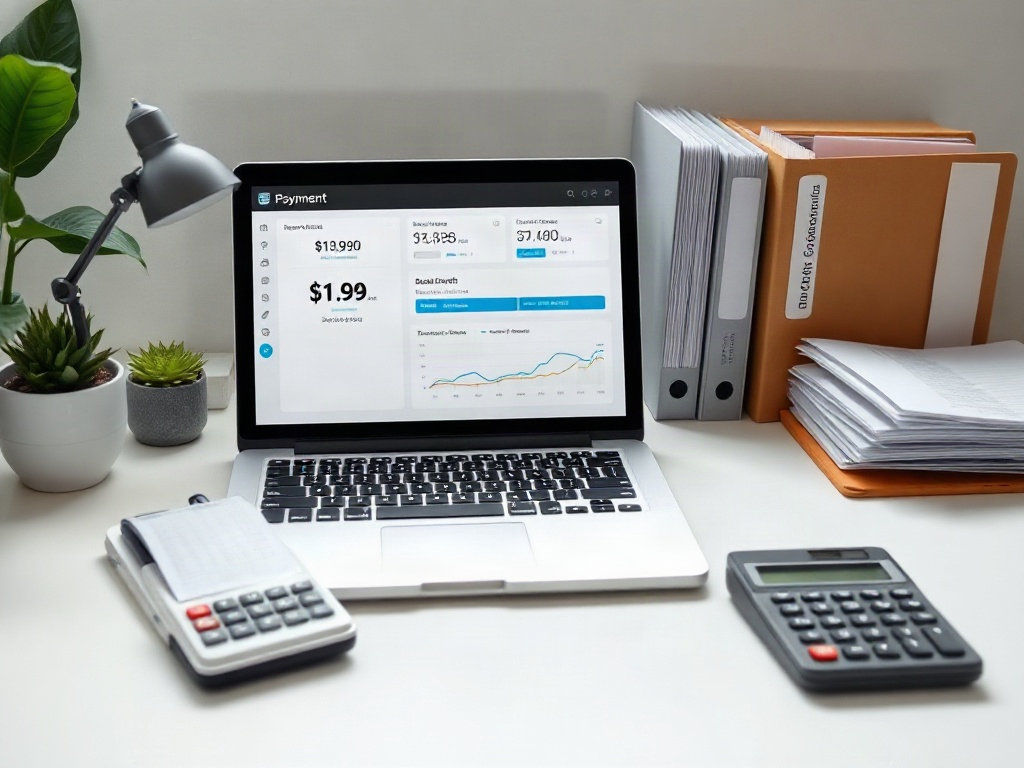
To organize payment processor refunds before a handoff, gather the refund record from each processor, link it to its original sale and to the processor's balance or payout report, keep refunds separate from fees and chargebacks, and flag partial, cross-period, pending, or failed refunds for your preparer to decide. A separate bank movement is not always available, so match to the processor's payout when there is no standalone debit.
- Each refund should trace back to its original transaction and the processor's refund entry and balance or payout report; a separate bank movement is not always present, so pending or failed refunds should be flagged rather than forced into a match.
- Refunds, processing fees, and chargebacks are separate events and should not be merged into one line.
- Partial refunds and refunds recorded in a different period than the original sale should be flagged for your preparer, not resolved by guessing.
If you take card payments through Stripe, PayPal, Square, or a similar processor, refunds are one of the easiest things to lose track of. A customer gets money back, the processor reverses part of a deposit, and later the numbers in your bank account no longer match your sales totals. When you hand messy refund records to a tax preparer, they come back to you with questions. The goal here is a handoff where every refund is already explained.
Organizing payment processor refunds before sending records to a tax preparer
The core idea is to preserve a trail from the original sale to the processor refund record and balance or payout report. Include related bank activity when it is available. If a refund is pending, failed, or not yet reflected in a payout, record its status and flag the unresolved link for your preparer.
Keep refund exports alongside your sales and payout reports so the preparer can review them together. Use the original identifiers and mark missing information instead of creating an artificial match.
What records to gather for each payment-processor refund
For every refund, collect the records that let someone else verify it without access to your account. That usually means the processor's refund report or export, the original transaction it relates to, and the processor's balance or payout report. A bank statement line may also show the money leaving your balance or reducing a payout, but a separate bank movement is not always available.
- The refund entry from the processor (date, amount, and the refund or transaction ID).
- The original sale it refunds, with its own ID and date.
- The processor payout or settlement report covering that period.
- The bank statement showing the deposit that was reduced or the separate debit, if one exists.
- Any note explaining why the refund happened, if you have one.
Keep these as exports or statements, not screenshots pieced together from memory. A preparer can work from a clean processor export far more easily than from fragments.
How to connect a refund to its original transaction and bank activity
Start from the processor's refund ID and work outward. Most processors tie a refund to the original charge by a shared identifier, so note both. Then find where that money appears on the processor's balance or payout report, and on your bank side when a movement exists. Refunds often reduce a payout rather than appearing as a standalone debit, which is why refunds and deposits can look mismatched if you only compare totals. For example, Stripe documents that refunds use your available Stripe balance and can be pending or failed (see Stripe's refund documentation Refund and cancel payments | Stripe Documentation); a pending or failed refund should be flagged, not forced into a match.
This is the same reconciliation discipline used for deposits. If matching payouts to your bank is still a challenge, our guide on how to match Stripe, PayPal, and Square payouts to bank deposits before tax prep walks through the payout side, and the refund chain plugs directly into it.
Keep refunds separate from fees and chargebacks
Refunds, processing fees, and chargebacks are three different events, and merging them creates numbers no one can explain. A refund is money you returned to a customer. A fee is what the processor charged you. A chargeback is a forced reversal initiated by the customer's bank, often with its own fee attached.
When these are lumped into a single net figure, your sales and your returns both become unverifiable. Record each one on its own line with its own identifier. If a payout already nets fees against gross sales, note that so your preparer knows the deposit is not your gross revenue.
Documenting partial refunds and refunds recorded in a different period
Partial refunds need extra care because the original sale stays on the books while only part of the money comes back. Record the original amount, the partial refund amount, and the remaining balance so the relationship is obvious. Never overwrite the original sale to make the math look clean.
Timing differences are just as common. A sale may land in one period and its refund in the next, or a refund you issued late in the year may clear your bank after the cutoff. Note both dates and leave the treatment to your preparer. Deciding which period a refund belongs to is a tax-treatment call, and that is their job, not something to settle by adjusting your records.
What to flag instead of deciding yourself
Your role is to make items visible and traceable, not to resolve their tax treatment. Build a short "open items" list that travels with your records so nothing gets quietly assumed.
- Refunds you can't match to an original transaction.
- Refunds that cross a reporting period boundary.
- Partial refunds where the remaining balance is unclear.
- Chargebacks and their associated fees.
- Any refund amount that doesn't agree with the processor's payout or the bank movement, and any refund that is pending or failed.
A list like this tells your preparer where to focus and keeps you from guessing at rules. MyTaxEase is built to help you organize these records and prepare the handoff for your tax preparer; it does not file for you or decide how a refund should be treated. For broader record prep, see how to organize receipts and bank statements for taxes, and if your transactions still need categories, the guide to organizing uncategorized bank transactions before tax prep pairs well with this one.
A simple refund handoff checklist
- Export the full refund report from each processor you use.
- Match each refund to its original sale by ID and date.
- Trace each refund to the processor's balance or payout report, and to the bank deposit it reduced or the debit it created when a separate bank movement exists.
- Separate refunds from processing fees and from chargebacks.
- Mark partial refunds with original amount, refunded amount, and remaining balance.
- List refunds that cross period boundaries, that don't match the processor payout or bank, or that are pending or failed.
- Attach your open-items note so the preparer sees unresolved differences first.
With this done once, your refund records stop being a source of surprise. You can learn more about the service on the MyTaxEase site, and if you want the wider picture of what a clean handoff involves, the tax for small business in 2026 guide covers how organized records fit into the bigger process.
Content prepared by the MyTaxEase team. 2026.