W-2 State Withholding Does Not Match Where You Worked: Records to Gather
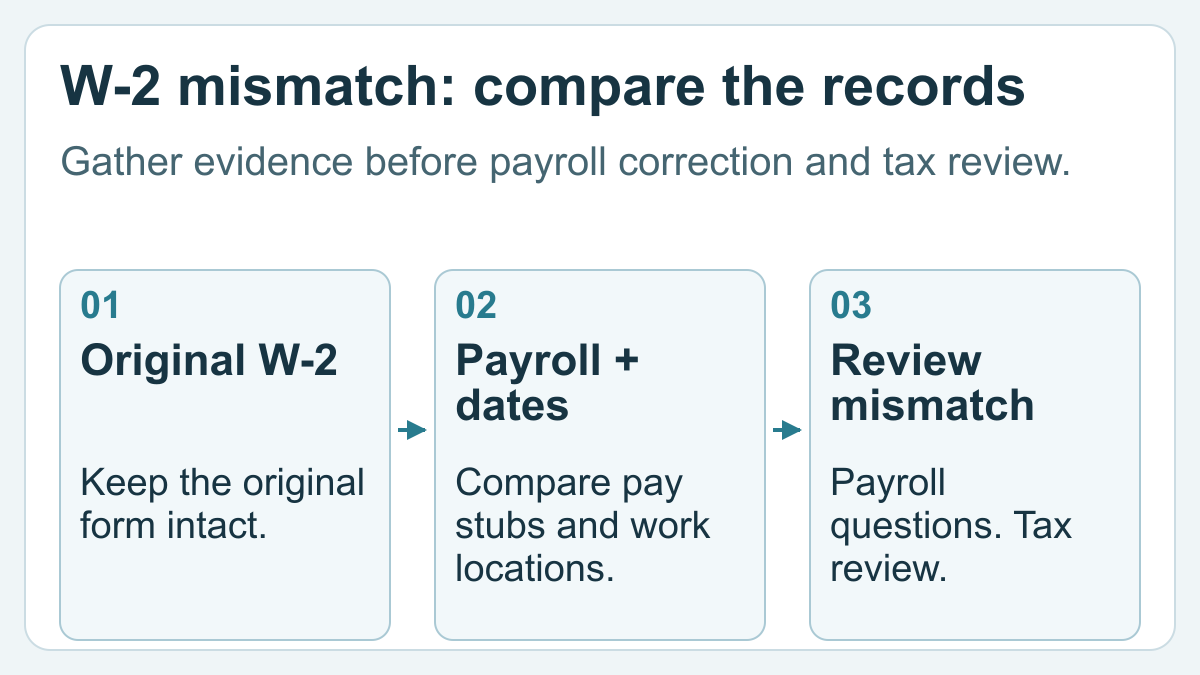
If your W-2 state withholding does not match your work history, prepare a discrepancy packet: the original form, relevant pay stubs, a dated residence and work-location timeline, and your correspondence with payroll. Ask your employer about suspected form errors and let a qualified tax professional assess the state filing consequences; a mismatch alone does not establish which return you owe.
Imagine moving during the year, continuing with the same employer, and receiving a W-2 that lists a state you no longer recognize as your workplace. The useful first question is specific: which reported field conflicts with which dated record? That question is easier to investigate than “my whole W-2 is wrong.”
This guide continues our multi-state tax preparation records guide. Its job is to help you describe a document problem clearly, rather than work out residency, credits or reciprocal agreements yourself.
Record the discrepancy before changing anything
Save the employer-issued W-2 exactly as received. Work from a separate copy when highlighting fields. Record the tax year, employer name, date received, state label and relevant box or field. Keep federal withholding, state withholding and local withholding in separate notes.
The IRS instructions for Forms W-2 and W-3 identify boxes 15–20 as state and local reporting fields and direct employers to the relevant state or locality for specific reporting information. They do not provide a universal answer to an employee's state filing situation.
Write what you can demonstrate: “The last three pay statements list State B withholding; the annual form lists State A.” Avoid replacing that observation with a conclusion such as “all wages should belong to State B.” The preparer may need more facts than your mailing address or the last payroll statement.
Build a timeline with evidence beside each date
Use one chronological timeline for the whole tax year. Identify changes in residence, assigned office, actual work location and payroll records separately. If you worked remotely, distinguish where you physically worked from the employer's office address.
Attach support for each entry: an employer's location-change confirmation, dated pay statements, a work schedule or another record you already have. Mark uncertain dates as uncertain. A lease may support a residence-change entry; it does not, by itself, explain where every workday occurred.
For example, a hypothetical worker named Alex changed residence in July and received a payroll-location confirmation in August. Alex's packet should retain both dates and explain that they refer to different events. Changing the timeline to make those dates match would hide the question payroll and the preparer need to answer.
Use a discrepancy log, not a second tax calculation
The following layout is an organization tool. It records evidence and questions without deciding the tax result.
| Item | What the source shows | Supporting record | Question and status |
|---|---|---|---|
| Original W-2, tax year under review | State A listed in the state section | Original PDF | Is the reported state correct? Open |
| Final pay statements | State B withholding label | Dated payroll PDFs | Which payments does this label cover? Open |
| Work-location change | Employer confirmation dated August | Payroll message | Was the annual form updated? Requested |
| Residence change | Move recorded in July | Dated residence record | What state review is needed? For preparer |
| Later corrected form | Changes to identified fields | Employer-issued replacement | Compare with original; retain both |
Preserve amounts as reported in each source. Do not subtract one state's wage total from another or add the state totals together as a substitute for professional review. The log's purpose is to make conflicting information visible.
Ask payroll a question it can investigate
The IRS says to contact your employer or payer when a W-2 contains incorrect information. See IRS Topic 154 for its missing or incorrect form process.
A practical request might say: “Please review the state information on my W-2 for this tax year. The annual form and the attached pay statements appear inconsistent. I have identified the fields and relevant dates below. Please explain the reporting or issue a corrected form if appropriate.”
Use the employer's established secure channel. Retain the request date, case number if supplied, response and every later form. A message saying “we are looking into it” is a pending response, not a correction. Keep that distinction in your log so the preparer knows what remains unresolved.
Hand over the original, the question and the latest response
Send a short index with your packet. It should identify the original form, timeline, selected pay statements, discrepancy log and payroll correspondence. Label later documents by issuer and date, rather than overwriting the first file with a new PDF called “final.”
Ask your preparer which documents are still missing and whether payroll's answer resolves the form issue. If you are choosing professional help, use our questions to ask a tax preparer, including how the preparer handles state-specific work and secure document transfer.
If you already filed, include the filed return and tell the preparer when the new information arrived. Our guide to checking a possible filed-return mistake covers that separate review. Do not assume that receiving a new document proves the preparer caused the problem.
FAQ
Does a state withholding mismatch prove that my W-2 is wrong?
No. It identifies a question to investigate. Record the exact field and conflicting evidence, ask payroll to explain it, and give your preparer the complete timeline before drawing a filing conclusion.
Can an IRS wage and income transcript replace the state information on my W-2?
No. The IRS states that the W-2 information in its wage and income transcript excludes state and local information. Keep the employer's form and payroll records for this discrepancy. See IRS Topic 159.
Should I edit the W-2 PDF before sending it to my preparer?
Keep the issuer's document unchanged. Put highlights or proposed explanations on a separate copy, and label them as your notes. Your preparer needs to distinguish employer-reported information from your interpretation.
What if payroll has not answered yet?
Include the original request and mark the issue pending. Tell your preparer which evidence is available and which response you are waiting for. Ask the professional to address timing and next steps rather than treating silence as confirmation.
What if a corrected form arrives after I have filed?
Retain both versions and the filed return, and arrange a review of the changed fields. The relevant tax year, actual correction and applicable state rules need professional assessment; this packet does not decide whether or how to amend.